We earn a commission if you make a purchase, at no additional cost to you.
09/22/2026 04:39 pm GMT
🍊 Dehydrated Food Info Finder — Temperatures & Drying Times
Choose a category, then pick a food to see its drying temperature and time.
⚠️ Safety Disclaimer: Drying times are estimates and vary based on slice thickness, food moisture content, humidity, and your dehydrator model. Always check for doneness before storing — food should feel dry, leathery, or brittle with no moist spots. Improperly dried food can harbour mould and bacteria. For meat and poultry, follow USDA safe internal temperature guidelines: beef and pork to 160°F (71°C), poultry to 165°F (74°C). Use a food thermometer when in doubt. Store all dehydrated foods in airtight containers in a cool, dark place and discard anything showing moisture, mould, or off odours.
Cabela’s Dehydrator Instructions: Troubleshooting and Expert Tips
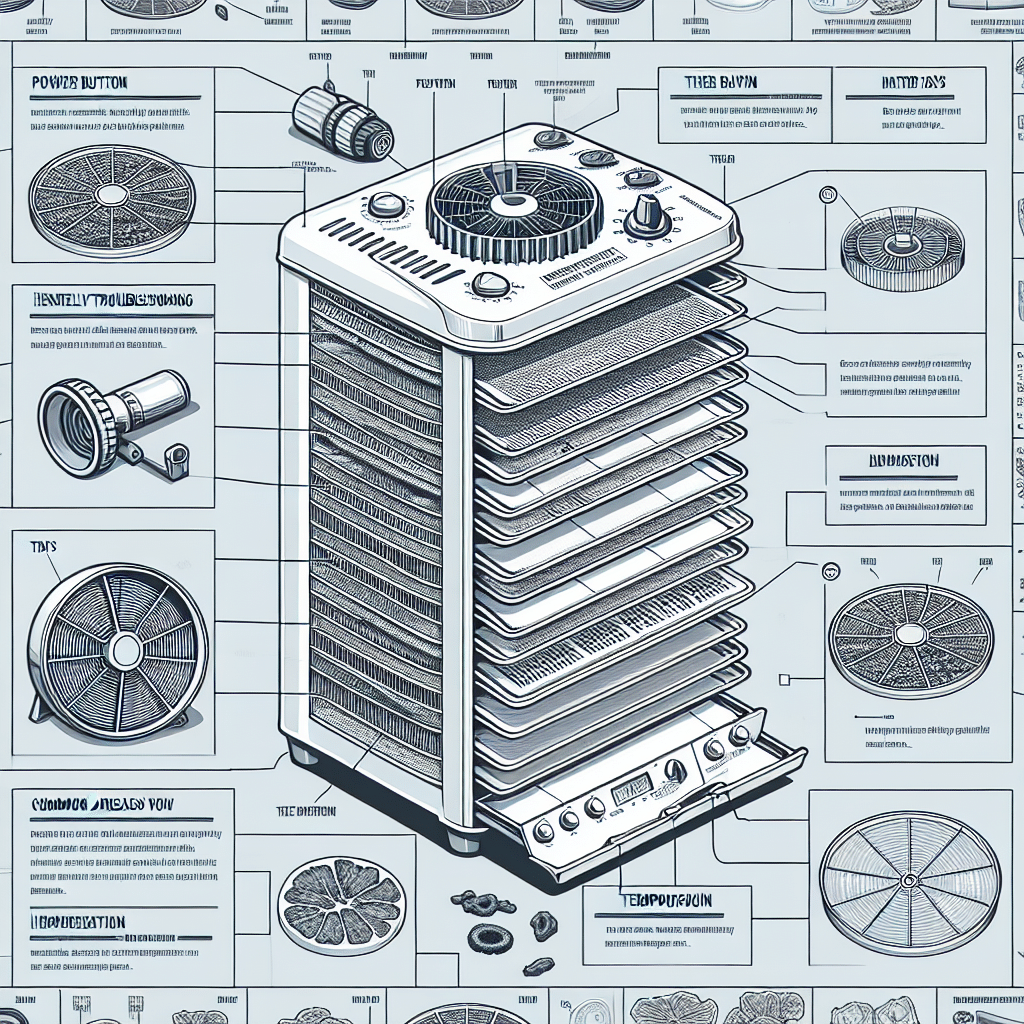
If you’re looking for Cabela’s dehydrator instructions, this guide gives Cabela’s dehydrator owners and users step-by-step troubleshooting for common problems like a unit that won’t turn on, uneven drying, unusual noises, or temperature swings. You already know how well your dehydrator works for fruits, vegetables, meats, and herbs, but when it starts acting up, quick fixes and proper maintenance can keep batches safe, improve drying performance, and help extend the appliance’s lifespan.
In this Cabela’s dehydrator troubleshooting guide, we’ll walk through the most common issues, the maintenance steps that help prevent them, and when it’s time to contact a professional for repair or warranty support.
1. Dehydrator Won’t Turn On
One of the most common problems you’ll face is your dehydrator not turning on. This can be annoying but before you freak out let’s go through some troubleshooting steps.
Power Source
Make sure the Dehydrator is Plugged In: It’s obvious but double check that your dehydrator is plugged into a working outlet.
Test the Outlet: Plug another appliance into the same outlet to see if it works.
Check the Power Cord: Inspect the power cord for any damage. If the cord is frayed or damaged it may need to be replaced.
On/Off Switch
Make sure the Switch is On: Check that the power switch on the control panel of the unit is in the on position.
Test the Switch: If the switch feels loose or doesn’t click it may be faulty and need to be replaced.
Fuse
Find the Fuse: Some have an internal fuse that can blow. Check your manual to find and check the fuse.
Replace if Necessary: If the fuse is blown replace it with one of the same rating and size.
Don’t Overload the Trays: Make sure you’re not overloading the trays. Overloading can restrict airflow and cause uneven drying.
Cut Food Uniformly: Make sure all pieces of food are cut to the same size and thickness for even drying. For jerky, cut slices to 1/8 inch thickness because thickness is important for even drying, and consider using dehydrator sheets for uniform drying, since different ingredients may need small drying-time adjustments.
Rotate Trays
Rotate Trays: During the drying process rotate the trays to ensure even heat exposure. As drying time progresses, check jerky for dryness before finishing to help prevent spoilage.
Shuffle Food: Moving the food around the trays can also help in even drying.
Fan and Heating Element
Clean the Fan: Dust and debris can accumulate on the fan and reduce its performance. Clean the fan regularly to ensure proper airflow.
Check the Heating Element: Make sure the heating element is working properly. If it’s not heating evenly it may need to be replaced.
3. Weird Noises
Weird noises coming from your dehydrator can be alarming. These noises can be rattling or loud humming, and understanding how loud a dehydrator typically is can help you tell normal fan sounds from potential problems.
Find the Source
Listen Carefully: Try to find where the noise is coming from. Is it the fan, the motor, or another part?
Check for Loose Parts: Check the dehydrator for any loose screws or parts that might be causing the noise.
Fan and Motor
Clean the Fan Blades: Dust and debris on the fan blades can cause imbalance and noise. Clean the fan blades regularly.
Lubricate the Motor: If the noise is coming from the motor it may need lubrication. Check your manual for the proper lubrication instructions.
Tighten Screws and Bolts
Secure Loose Screws: Loose screws can cause rattling noises. Tighten any loose screws or bolts to stop the noise.
Check the Thermostat Setting: Make sure the thermostat is set to the correct temperature; as a general jerky guide, 160°F for at least 4 hours is recommended for safe beef jerky, while 140°F for about 6 hours can work depending on the texture you want.
Use an Oven Thermometer: Place an oven thermometer inside the dehydrator to check if the internal temperature is the same as the set temperature.
Replace if Necessary: If the heating element is not working properly it may need to be replaced.
Air Circulation
Clean the Vents: Make sure the air vents are clean and not blocked to allow airflow.
Don’t Block Airflow: Make sure the trays are not too close to each other which can block airflow and cause temperature fluctuations.
Cabela’s Dehydrator Maintenance Tips
Maintenance can prevent many common problems and extend the life of your dehydrator, and many of the same principles apply when choosing and caring for an industrial food dehydrator for larger batches. Here are some tips:
After Each Use
Wipe Down Trays: After each use wipe down the trays with a damp cloth or wash them in warm soapy water.
Clean the Interior: Use a soft cloth to clean the interior of the dehydrator, and remove any food particles or debris.
Regularly Check Components
Fan and Motor: Regularly check the fan and motor for any signs of wear or damage; this is especially important on larger models like Cabela’s Deluxe 10-Tray Dehydrator.
Power Cord: Check the power cord for any signs of wear or damage, particularly on higher-capacity units such as Cabela’s 10-Tray Deluxe Dehydrator.
Store
Dry Place: Store your dehydrator in a dry, cool place to prevent moisture damage, and keep in mind that different food dehydrator brands and models may have slightly different storage recommendations.
Cover When Not in Use: Use a cover to protect your dehydrator from dust and debris when not in use.
When to Call a Pro
While many issues can be fixed with simple troubleshooting and maintenance some problems may need professional help. Here’s when to call a pro:
Electrical Issues
Power Problems: If your dehydrator has power issues consistently it may be an electrical problem.
Internal Damage
Damaged Components: If internal components like the motor, fan, or heating element are damaged it’s best to have a pro replace them.
Warranty Services and Report Issues
Under Warranty: If your dehydrator is still under warranty contact Cabela’s customer service for help. Don’t attempt to fix it yourself or you may void the warranty.
Owning a Cabela’s dehydrator can be fun but like any appliance, it can have issues. By following Cabela’s dehydrator troubleshooting guide you can fix common problems like the dehydrator not turning on, uneven drying, strange noises, and temperature fluctuations. Regular maintenance and proper care can prevent many of these issues and extend the life of your dehydrator. If you have any serious issues don’t hesitate to call a pro to make sure your dehydrator runs efficiently and safely. Happy dehydrating!
DannyContent Writer
Hey there, since 2016, my mission has been to provide you with the information and guides you need to make food dehydrating simple and fun. Whether you're a newbie or a seasoned pro, my site offers helpful guides, reviews, and recipes to enhance your dehydrating experience. I take pride in only recommending products I believe in, ensuring my readers' trust. As an affiliate of various programs, including Amazon Associates, your support helps me continue providing quality content. Thanks for stopping by, and happy dehydrating!